
Let’s imagine a typical morning in the service department: A technician opens three systems, looks up serial numbers, scrolls through PDFs, and talks on the phone with colleagues. The customer is waiting. The machine is idle. And no one has an immediate overview of the situation.
Many mechanical engineering companies—from small and medium-sized businesses to global providers—are familiar with this reality. Yet that is precisely where one of the company’s greatest untapped assets lies: its installed base.
However, there is often a lack of transparency about machines in the field, their history, current performance and outstanding service requirements. This costs time, money and customer trust. And it prevents companies from developing a scalable, profitable service business from reactive deployments.
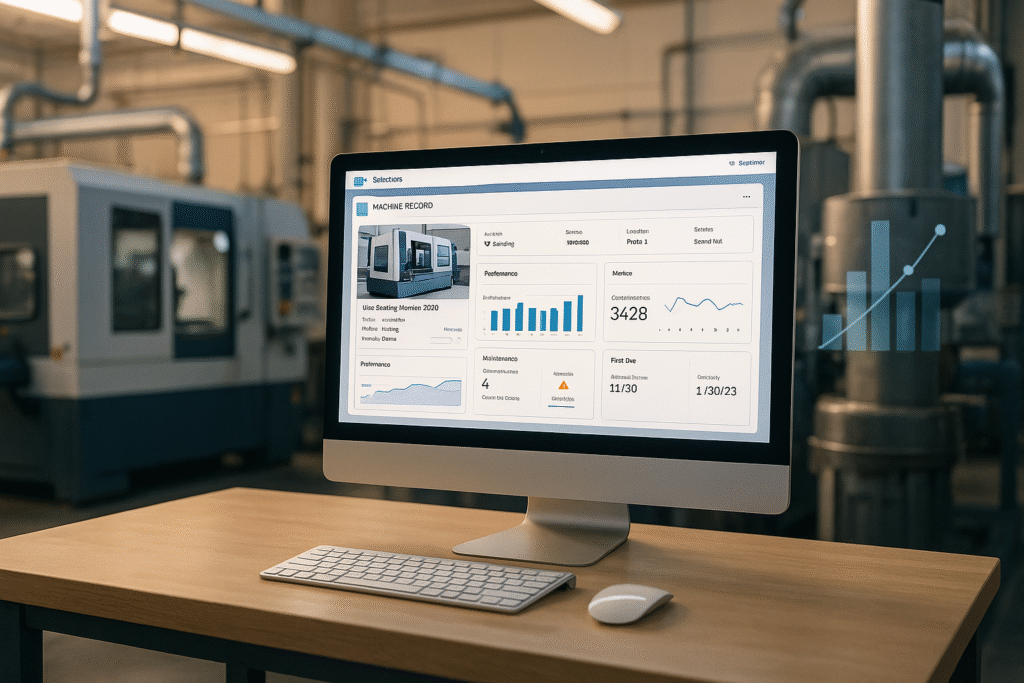
The solution: a digital machine file (IOTAM) —linked to IoT data, service history, and documentation—with an intelligence layer on top that understands all this information and synthesizes it into decisions. Built on the Salesforce platform.
Why Mechanical Engineers Today Know Too Little About Their Installed Base
The customer’s machinery is the backbone of the after-sales business. However, the information is often scattered:
- Excel lists from the sales department
- ERP data for parts lists
- Service reports in the PDF archive
- IoT data in own platforms
- Know-how in the minds of individual technicians
VDMA studies have shown for years that a large portion of all service information is unstructured, and only a few companies have a complete, up-to-date overview of their installed base.
Typical questions such as:- “What machines does this customer have, and what condition are they in?”
- “Which systems have recurring problems?”
- “Which service contracts are expiring?”
lead to manual research, system changes and media disruptions.
Service managers, technicians, sales and management need very different information – but they all need the same data source.
The Digital Machine File as the Single Point of Truth
The Digital Machine File (IOTAM) becomes the single point of truth. It consolidates all information about a machine—structured, versioned, and contextualized.
Core components:
- Asset structure incl. machines, components, spare parts
- Serial numbers, locations, installation data
- Service history, materials, cost estimates
- Maintenance Schedules and Contracts
- Telemetry data: Operating states, error codes, performance indicators
- Documentation, manuals, checklists
- Digital Product Passport (DPP)
- Access to Remote Support and IoT Features
Using a packaging machine as an example, the Salesforce interface lets you see at a glance: the machine status (“Online”), process parameters such as temperature, production figures, contact and location data, the associated service objects, and integrated tools such as TeamViewer (remote support) or Empolis (service knowledge).
It is precisely this consistency that takes the machine file to the next level—it serves as the structured database upon which everything else is built.
Do you know what condition your machines are in at the customer’s site right now?
In 30 minutes, we’ll use a real-world asset example to show how scattered service data can be turned into a reliable basis for decision-making—no slide presentation, just your specific use case.
→ Schedule an initial consultation
Service Decision Intelligence: the intelligence layer above the installed base
A structured machine file is a prerequisite. But the real impact comes when this knowledge is put to use in day-to-day operations—without anyone having to write SQL, build dashboards, or switch between systems. That’s exactly what Service Decision Intelligence (SDI) does: it’s the layer that connects fragmented service data and consolidates it into actionable decisions.
A Unified Data Model as the Foundation
For SDI to reach its full potential, it needs a consistent data model—regardless of where the data is originally located. Four data worlds converge:
- Salesforce data — customers, assets, contracts, cases, work orders
- IoT Telemetry — Sensor Values, States, Events, Time Series
- Service Knowledge — Troubleshooting Guides, Step-by-Step Instructions, Solution Articles
- Historical Data — Maintenance History, Version Changes, Trends Over the Years
This integration provides a 360° view—not just a snapshot, but across the entire lifecycle of a machine. Through our partner GRAX, the complete CRM context—including change logs and historical data—can be integrated without hitting API limits: Which values changed and when? Which components were replaced? Which errors occurred repeatedly?
The key factor is where this data model is deployed: SDI runs on the customer’s infrastructure and is EU-compliant. Data sovereignty remains with the company—a fundamental prerequisite for making service and machine data usable for AI in the first place.
From Data Model to Decision
Based on this, SDI provides the decision-making logic for AI agents—such as those on Salesforce Agentforce. Unlike traditional chatbots, such an agent does not rely on generic knowledge models but instead works with the structured data from its own installed base:
- It understands machines, serial numbers, hierarchies and telemetry.
- He evaluates cases, trends and patterns.
- He knows contracts, SLAs and maintenance plans.
- It combines knowledge from systems that were previously separate.
Two features make all the difference. First, every recommendation comes with a source citation—the user can see what data a statement is based on, rather than having to trust a “black box” response. Second, SDI is LLM-agnostic (MCP/BYOM): Companies can integrate the language model of their choice, rather than being locked into a single provider. And most importantly, the answer is delivered in natural language—no SQL, no dashboard building, no click-throughs.
Real-world example
The service manager at (the hypothetical) PackoTec GmbH asks a typical question about his customer, Freshoria:
“For the Freshoria account—what assets are being used there, what do the latest telemetry data show, are there any critical cases, and what service package could I offer the customer?”
The agent collects automatically:
- 32 assets from the portfolio at Freshoria
- Telemetry with several critical states (including compressed air errors, sealing integrity problems, temperature deviations)
- 7 open HIGH-priority cases, all related to the same machine
- Patterns in downtimes and production losses
The agent summarizes the data, identifies correlations, and proposes specific actions—ranging from immediate intervention to predictive maintenance. Data-driven insights lead to concrete, transparent recommendations for action. This saves time, prevents downtime, and improves service quality.
What’s Now Possible: Specific Use Cases and Measurable Business Value
Proactive Service. Question: “Which machines are about to exceed their maintenance intervals?” Benefits: predictable service calls, fewer outages, better SLA performance.
Retrofit campaigns. Question: “All customers with Model X, manufactured before 2020?” Benefits: targeted campaigns, higher conversion rates.
Real-time troubleshooting. Question: “Error code E-401 — Cause, solution, and how to prevent it in the future?” Benefits: shorter diagnostic times, fewer recurring errors.
Identify sales opportunities. Question: “Which service contracts are set to expire in Q1?” Benefits: proactive renewals, higher service revenue.
Management Reporting. Question: “How has the failure rate for Model Y changed over time?” Benefits: data-driven product decisions, quality feedback for development.
The combination of machine records, telemetry, expertise, and SDI creates systematic added value: less time spent searching, more time spent taking action, higher service quality, and scalable revenue.
Why this works — and why now
Three trends make this model particularly relevant:
Integration instead of isolated solutions. Service portals, IoT platforms, CRM, and ticketing systems: What used to be separate is now integrated into a single data model.
AI needs structure. AI doesn’t show its true potential with PDFs shared via file-sharing services—but rather with clean, unambiguous, versioned datasets.
The shortage of skilled workers in the service sector. Teams are getting smaller, and machines are getting more complex. What matters: quick diagnostics, less manual work, and smarter support.
logicline connects these dots—using Salesforce as its platform and leveraging expert knowledge of industrial service processes. The result: clear data models, interconnected portals, IoT integration, and AI agents that deliver practical answers immediately. This foundation makes service organizations scalable and resilient.
How Companies Can Get Started
Step 1: Organize the installed base. Serial numbers, locations, components, maintenance plans – neatly modeled in Salesforce.
Step 2: Integrate telemetry. Transfer time series, error codes, energy data, and process data into the data model.
Step 3: Connect the dots. Integrate Empolis knowledge bases or your own knowledge bases directly into cases, assets, and error scenarios.
Step 4: Deploy SDI and AI agents. Use Service Decision Intelligence and Agentforce to have domain-specific agents work with your company’s own data.
Step 5: Prioritize use cases. Proactive maintenance, campaigns, self-service, remote support – sort by business impact.
In practice, this process usually begins with an installed base assessment: a structured analysis of scattered data that identifies where the quick wins lie.
Outlook: From Reactive Operations to an Intelligent Service Ecosystem
The Digital Machine File is a major step; SDI is the next one. Both are part of a phased model that charts the path: Digitization (structured machine file) → Connectivity (portals and IoT) → Decision-making (Service Decision Intelligence) → Automation (autonomous service agents).
The journey continues along these steps:
- Predictive maintenance through pattern recognition over the entire life cycle
- Autonomous recommendations for action: from advice to concrete action
- Seamless integration with Teams, Slack, and mobile devices
- Self-service portals that answer customer questions on their own
- Automated spare parts predictions
- Comparative analyses across fleets
Machine builders are thus transformed from troubleshooting companies into providers of intelligent services – reliable, scalable and profitable.
Next step
Smart service isn’t a tooling problem—it’s a data problem. If you don’t have a structured understanding of your installed base, you can neither proactively support it nor turn it into a growth driver—no matter how good the AI behind it is. Here are two pragmatic starting points, depending on where you stand today:
- Installed Base Assessment — if your machine data is still scattered across Excel, ERP, and PDF archives, and you first need a reliable data foundation.
- Initial Consultation — once your data foundation is in place and you’d like to discuss machine files, SDI, and AI agents in detail.
FAQs
How quickly can a digital machine file be implemented?
You can usually get started within a few weeks. You begin by organizing the installed base (machines, serial numbers, locations, documents) and later integrate telemetry and service histories. No “big bang”—just modular expansion as needed.
Do I necessarily need IoT data to use the AI agent?
No. The agent can already work with CRM, asset, and case data. However, IoT data significantly increases the value because Service Decision Intelligence can then analyze statuses, trends, and patterns in real time.
Will the AI agent replace service technicians?
No. It handles the research, analysis, and consolidation of large amounts of data, but it does not replace technical expertise. Technicians benefit from faster diagnostics, clear recommendations for action, and less manual information searching.
How do customers benefit from this?
Customers benefit from faster response times, more accurate diagnoses, and access to a self-service portal with their own machine file. Service becomes more transparent, easier to plan, and more professional—a clear competitive advantage in the machine-building industry.
