
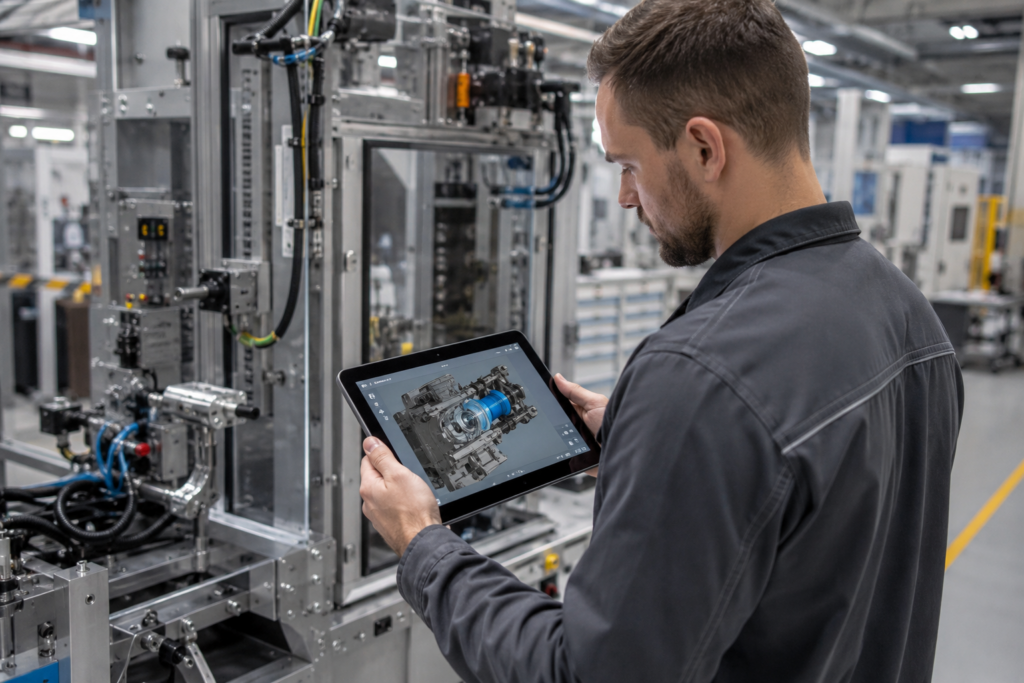
The Manual Nobody Has on Hand
A machine has come to a standstill. The operator at the customer’s site has a general idea of which assembly is causing the problem, but doesn’t know the correct order in which to disassemble it. He looks in the PDF manual, finds an exploded view from 2019, isn’t sure if it matches his machine model—and picks up the phone. Someone at your service department answers the phone—someone who only knows the machine from the files.
This scenario plays out every day, and it comes at a double cost: downtime for the customer and a first-contact ticket for you. The documentation exists—it’s just static, often outdated, and separate from the system where your service actually operates.
What’s the process from fault code to 3D instructions in the portal?
In a brief introductory call, we’ll demonstrate this using a real-world example—with a customized demo setup using vSTAGE, not a slide presentation.
→ Schedule an introductory call
You already have the data you need to create better instructions
The raw material for significantly better instructions has long been available in-house: the 3D models from your design. With vSTAGE , this CAD data is transformed into interactive 3D instructions—without requiring anyone to have 3D or engineering expertise. The conversion process is largely automated, even for complex assemblies.
A bill of materials is thus transformed into a sequence that the user can navigate through: components are highlighted, step by step, and can be rotated and disassembled. vSTAGE estimates that this results in up to four times faster comprehension of complex processes and approximately 70 percent less text. vSTAGE has been proven in machinery and equipment—ABB, Bystronic, and Burckhardt Compression are among its users, and vSTAGE is also distributed via the Siemens Xcelerator marketplace.
The difference lies in the location
A 3D guide as a separate app is nice, but it doesn’t solve the underlying problem: it’s still separate from the process. That’s why we embed it right where your service team and your customers are already—in the logicline customer portal, directly within the Digital Machine File (IOTAM) for the respective system.
Specifically, this means: The operator opens his machine in the portal, navigates to the relevant assembly, and—using the asset ID—opens the exact 3D sequence for that variant. From the 3D bill of materials, he orders the correct spare part in the same step. No need to log in a second time, switch systems, or search through the wrong manual. If desired, users can also display Empolis’ contextual knowledge layer—service bulletins and lessons learned related to the same component.
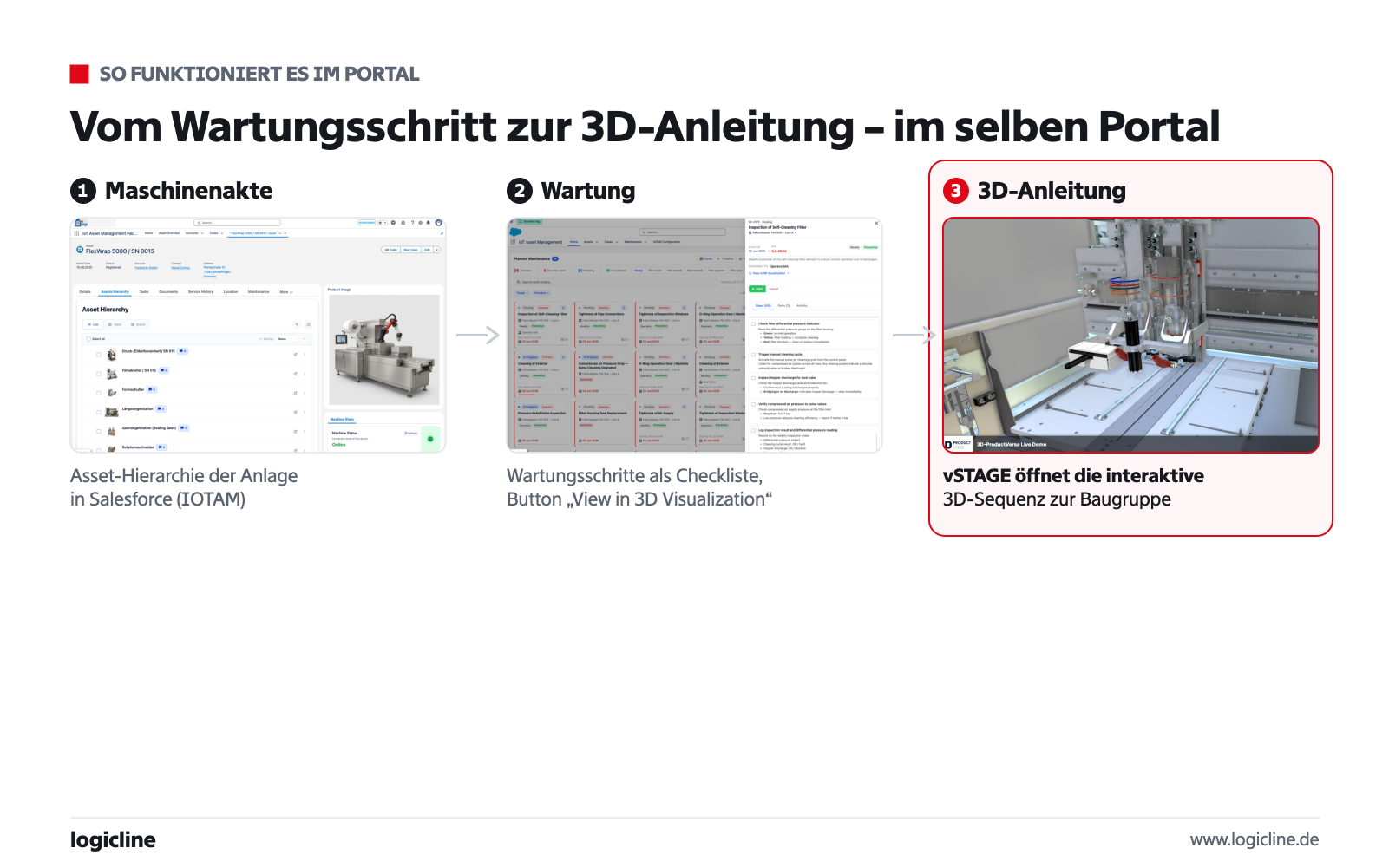
Here’s how it works in the portal: Machine File (IOTAM) → Maintenance Step → Interactive 3D Sequence (vSTAGE).
Each of these actions leaves a structured trail in Salesforce: which guide was used, which problem was solved, and which part was ordered. In this way, self-service also becomes a data source.
From the Service Manual to the Service Academy
Once the 3D content is available, it opens up a second line of business. The same models are used for training your customers’ operators and maintenance personnel—as 3D learning modules on the portal rather than on-site training. vSTAGE reports that this speeds up the onboarding process by a factor of about ten.
This academy is managed in Salesforce and IOTAM. These systems track which users have been assigned or licensed for specific training courses, which courses they have completed, and when a refresher course is due. Certificates of completion are available as proof. This results in two benefits for you: better-trained personnel at the customer site who operate the equipment correctly, and a billable digital service as part of your aftermarket business.
What Matters in the End
The benefits are clear. Every first-contact ticket avoided takes the pressure off your inside sales staff. Every self-help task performed correctly reduces downtime for the customer and makes it more likely that a spare part will be ordered. Every documented training completion reduces the risk of operating errors and provides proof of compliance. And the expert knowledge that would otherwise be lost when employees retire will now be available in a manual that the next technician can access on their tablet.
The journey starts small: with a system, a CAD model, and your first 3D instruction guide on the portal. If you’d like to know which of your CAD data sets can be converted into a 3D instruction guide the fastest, we’ll start with an Installed Base Assessment. If you’d like to see how the process works on the portal first, schedule an introductory call —we’ll show you the customized demo setup with vSTAGE and Empolis.
