
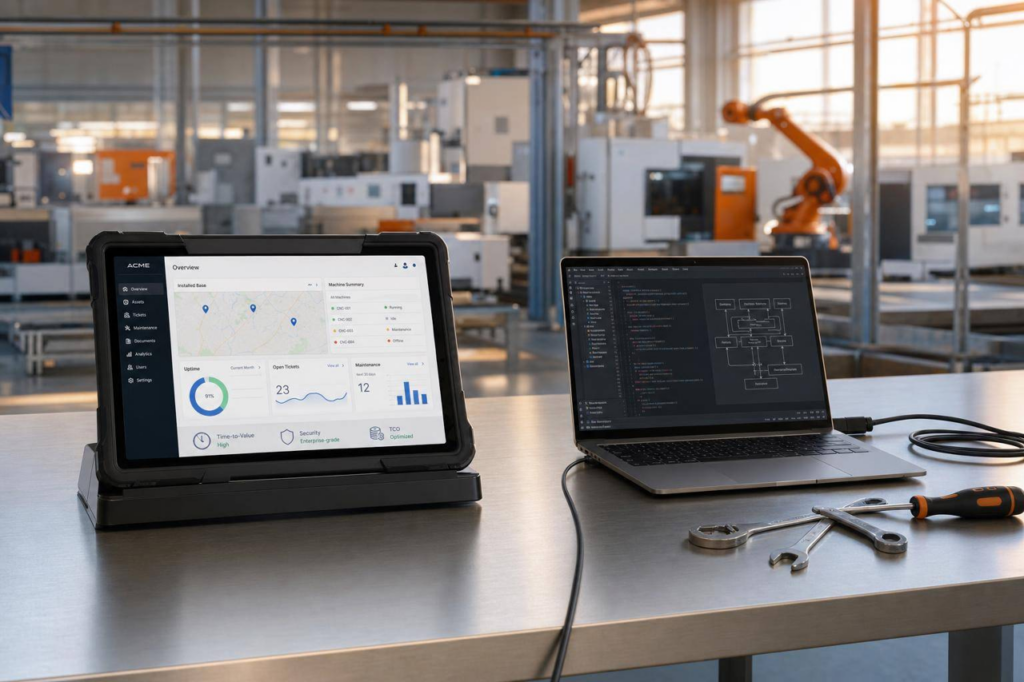
If your service department handles 40 to 60 calls a day regarding documents, spare parts, or ticket status, the decision to use a portal is a business decision, not a minor IT issue. It makes sense to base the decision initially on three factors: available data, time to first benefit, and operating costs over five years.
In short:
- A standard platform is usually a good fit if your installed base is well-managed and you want to get up and running quickly.
- An in-house solution is only appropriate if your process differs significantly from industry standards and you want to handle maintenance, security, and further development on your own for years to come.
- Without machine-related data, any portal is nothing more than a front end.
- With a standard platform, it is often possible to launch the first version of the portal within 6 to 8 weeks.
- 12 to 18 months and €250,000 to €400,000 are typical timeframes and cost ranges for an in-house development (based on experience).
- The right place to start is often not choosing software, but conducting an Installed Base Assessment.
It’s best to review the topic in this order:
- Is the installed base clearly assigned to each machine?
- Which tasks should customers handle on their own?
- Who will be responsible for releases, security, and support in 3 to 5 years?
- At what point does the portal start to save a measurable amount of time in service operations?
Quick Comparison Overview:
| Criterion | Standard platform | In-house development | SAP-based architecture |
|---|---|---|---|
| Time until launch | 6–8 weeks | 12–18 months | Depending on the setup |
| Project Effort | Low to medium | High | High |
| Operational Costs | On the provider’s end | Internal | Depending on the setup |
| Fitting for Machine Service | High | Variable | Somewhat medium |
| Risk Due to Reliance on Individuals | Low | High | Medium |
The article therefore addresses this as a “make-or-buy” question: Which model supports your service on a day-to-day basis—and not just at go-live? The maturity model— Digitize → Connect → Decide → Automate —provides the appropriate framework for this. A portal can be effective starting at Level 2; without Level 1, it cannot.
What a portal can do—and what it can’t
The 4-step model: Digitize – Connect – Decide – Automate
In the 4-step model, the customer portal is at Step 2: Connect. There, it provides access to machine documentation, service cases, spare parts, and contract status.
However, this stage requires Stage 1: Digitize. This refers to a well-structured installed base. Machines must be uniquely identified, service operations must be assigned to the correct piece of equipment, and machine-specific documentation must be available. If this foundation is missing, the portal will display information but cannot reliably control anything. Stages 3 and 4— Decide and Automate —build directly on this foundation. Only then does self-service contribute to day-to-day operations.
In practice, this isn’t an IT issue, but a service issue. If the mapping between machine, history, and document is incorrect, the request will end up back with the inside sales staff despite the portal. The 4-step model helps to objectively assess these dependencies.
Why a portal without machine data is just a front end
Reliable self-service can only be achieved when the machine, document, and service process are clearly aligned and the master data is consistently maintained. Without this data foundation, a portal remains nothing more than a facade.
The Digital Machine File (IOTAM) provides precisely this machine-specific foundation. It assigns information not only to a customer account, but to the individual machine. That is the point at which a view becomes a usable service channel.
If you first want to determine how complete and consistent your installed base is today, the Installed Base Assessment offers a structured starting point. This often reveals why portals fall short of expectations in day-to-day use: In most cases, the problem lies in the lack of data organization behind the scenes, rather than in the user interface itself.
Where the benefits of the portal begin in practice
The benefits become apparent when it comes to recurring service inquiries. In everyday life, it often comes down to three things:
- Where is my documentation?
- What is the status of my service request?
- Which spare part is compatible with my configuration?
If a portal reliably answers these questions, the number of phone calls and emails decreases. This reduces the workload on the inside sales staff, and the customer receives the answer directly through self-service. The key factor here is well-maintained machine data running in the background, rather than the user interface itself. A structured requirements overview provides the checklist for self-service portals.
A typical scenario illustrates this pattern: A manufacturer makes documents available centrally, but not in a machine-readable format. The customer finds multiple versions, doesn’t know which version has been approved, and ends up asking the service department again. Generic content then generates new inquiries instead of reducing the workload. This is precisely why data quality is the benchmark for the portal’s value.
Standard platform or in-house development—not sure which is right for your data situation?
In 30 minutes, we’ll assess your installed base and show you which portal model supports your day-to-day operations—no slide presentations.
→ Schedule an introductory call
Off-the-shelf platform or in-house development: a direct comparison
Based on a clean data structure, this is where the actual strategic decision is made: Should the portal go live quickly, or should you gradually build your own product, which will entail ongoing operational costs? Three factors are particularly important when weighing these options: time-to-value, TCO, and operational reliability.
Standard platform with industry expertise
A standard platform with industry-specific depth comes with a preconfigured data model. Machine records, service cases, spare parts, and contract statuses are typically already set up. This shortens the project phase and reduces the risk that basic service logic will need to be refined during ongoing operations.
The practical benefits become apparent right from the start: Experience shows that a first productive portal can be launched in six to eight weeks —provided the installed base is well-structured. This is a particularly tangible benefit for heads of service. They can see early on whether customers can find documents, create cases properly, and request spare parts without any detours.
Operations are also easier to plan. Updates, security patches, and new features are released as part of the provider’s product cycle. This means your team doesn’t have to catch up on any maintenance backlog of its own. Documents, tickets, and spare parts can be linked directly within the portal. When the portal is embedded in Salesforce, it becomes a collaborative tool for customers and service teams rather than an isolated access channel.
If using a standard solution: a proprietary portal platform or Salesforce?
Within the standard option, there is a second path to consider. A dedicated portal or digital experience platform (DXP) such as Liferay or Adobe Experience Manager is also standard software, but it is not tied to your CRM. If customer data, service processes, and equipment records are already stored in Salesforce, a separate DXP requires an additional integration layer between the portal and the CRM—one that must be built and maintained over the years. This is precisely the ongoing operation that, as mentioned earlier, decides on the actual costs.
A CRM-native standard platform on the Salesforce Experience Cloud eliminates this intermediate layer. The portal accesses the same records as the service: machine, service case, service order, and purchase order. A ticket created in the portal goes through the same process as one created internally, and the view “this customer only sees their machines” follows Salesforce’s approval rules.
A standalone DXP remains a viable option if the portal serves many target audiences far beyond the scope of the service, if on-premises operation is mandatory, or if a content-driven public website is the primary focus. For an after-sales portal focused on machinery, service cases, and spare parts, however, a secondary platform is usually the more expensive operational option—for the same reason that argues against in-house development: the decisive factor is who bears the cost of continuous operation.
In-House Development: Flexibility with Hidden Operating Costs
In-house developments often seem attractive at first because every process can be mapped out exactly as desired. In practice, however, it is precisely this advantage that ends up being costly later on.
Starting with the go-live, maintenance, security management, and further development are entirely the responsibility of the in-house team. Added to this are typical ongoing costs: security vulnerabilities must be patched, new service requirements must be incorporated, and knowledge must be rebuilt whenever there are staff changes. This ties up not just a one-time budget allocation, but working hours year after year.
As a rough guide, experience from comparable projects indicates project costs of 250,000 to 400,000 euros and an implementation period of 12 to 18 months. These figures are not set in stone, but they give an idea of the order of magnitude. For many companies, the critical issue is operation over several years, not the programming itself.
“The real question isn’t ‘build it or buy it,’ but rather: Who will be responsible for maintenance, security, and further development in five years—and how quickly will the first measurable benefits be realized?”
Comparison Table: Standard Platform, In-House Development, and SAP-Based Architecture
| Criterion | Standard platform with industry-specific expertise | In-house development | SAP-based architecture |
|---|---|---|---|
| Time to Value | 6–8 weeks | 12–18 months | Depending on the existing SAP setup |
| Initial project effort | Low to medium | High | High |
| Precision Fitting for Machine Service | High | Variable | Somewhat medium |
| Ongoing Maintenance Costs | For the platform provider | Entirely in-house | Highly dependent on the internal setup |
| Security Updates | As part of the vendor’s product lifecycle | Your Own Responsibility | Depending on the setup |
| Person-Dependency | Low | High | Medium |
| Integration effort | Low to medium | Fully customizable | Depends on the existing SAP setup |
| 5-Year TCO (Trend) | Rather low | Higher | Rather high |
An SAP-based architecture can be a good choice if the portal is primarily intended to make existing ERP data visible and SAP already plays a central role in the service processes. However, if customers are expected to work independently with machine documentation, service cases, and spare parts, the necessary preconfiguration for machine service is often lacking. This results in additional setup effort, even though the basic data is already available in-house.
The maturity model— Digitize → Connect → Decide → Automate—is helpful for strategic classification. A portal usually does not realize its full value simply by making data visible. It must also fit into existing workflows so that information can be transformed into a concrete service action.
Which option is right for which manufacturer?
Once you’ve compared the models, it comes down to day-to-day operations: Which option best supports your service business? The decision hinges primarily on three factors: data readiness, service volume, and operational responsibility. The portal’s question thus becomes a clear “make-or-buy” decision.
When a Standard Platform Is the Right Choice
A typical scenario: A mass-production manufacturer supports a large installed base, and the service team handles 40 to 60 calls every day regarding documentation, spare parts, or trouble reports. In this case, the potential for reducing the workload is obvious. The larger the installed base, the more worthwhile a customer portal is in the machinery and equipment industry. When customers resolve standard issues themselves through the portal, the workload on the inside sales team decreases immediately. It is well-documented that large mass-production manufacturers are taking this approach—for example, Heidelberg, which operates a customer portal for documentation, spare parts, and service requests.
A clean database is a prerequisite. Manufacturers with a well-maintained installed base can roll out a portal much more quickly in Phase 2. Those who have already collected and linked their data can move more quickly from concept to operation in the service portal.
If you don’t want to maintain your own software product for years on end, a standard platform is often the better option. The provider then handles operations, security updates, and new features. In Salesforce, such a portal can be closely integrated with service processes, cases, and the installed base without requiring you to turn it into a separate IT product. Ultimately, the key difference lies in who is responsible for ongoing operations—rather than in the list of features.
When Developing Your Own Solution May Still Make Sense
In-house development is a special case, not the standard approach. It only makes sense if your service process differs significantly from industry standards, a reliable internal team can ensure long-term operations, and machine data must not leave your own network.
This isn’t just an IT issue. It’s a management decision with implications for the budget, staffing, and liability. A standard platform reduces your own operational costs. Developing your own solution shifts those costs to your organization: releases, security, bug fixes, further development, and staffing requirements.
Under these conditions, in-house development can work. It is then a conscious decision to assume long-term operational responsibility, not merely a matter of technical freedom.
Decision Table: Data Availability, Service Volume, and Recommended Approach
The following table categorizes the decision based on data availability, volume of requests, and operational capability.
| Situation | Data on Installed Base | Daily Inquiry Volume | Recommended Approach |
|---|---|---|---|
| Mass-production manufacturers, many similar machines | Structured, centrally accessible | High (40–60 inquiries/day) | Standard platform with industry-specific expertise |
| Mass-production manufacturers, fragmented data (PDFs, Excel, ERP silos) | Incomplete | Medium to high | First, an Installed Base Assessment; then, a platform |
| Manufacturer with a highly specialized process, strong in-house IT team | Variable | Low to medium | In-house development—if operations are sustainably secured |
Conclusion: Choose the portal model that will sustain your organization in the long term
Key Takeaways for Executive Management, IT, and Service Management
After comparing the available data, TCO, and operating costs, one practical question remains: Will the chosen portal model still support your day-to-day operations three or five years from now? A customer portal is not a project with a clear end point. It is an operational model that entails ongoing responsibility for maintenance, security, releases, and troubleshooting.
For management, IT, and service management, three points are key:
- Without structured, machine-readable data, any portal remains merely a user interface.
- The biggest costs occur after the go-live: from updates, new releases, and bug fixes. With in-house development, this burden falls entirely on you.
- What you decide is who bears operational responsibility on a long-term and reliable basis—rather than the length of the list of duties.
In practice, portals rarely fail because of their first version. Problems arise later, when data is missing, responsibilities are unclear, or operational adjustments take up too much time and budget. That’s why it’s worth looking first at the model’s robustness and only then at individual features.
In a strategic context, a clear picture of the maturity level is helpful. The model— Digitize → Connect → Decide → Automate —highlights where your service stands today and what type of portal operation is best suited to it. Those who jump to the final stage too soon often end up building more interface than actual value.
Next Step: Review Your Data Before Choosing a Portal Model
Before you decide on an architecture, you should review your data infrastructure. How well is your installed base documented? Is machine data available in a structured and centralized format, or is it scattered across PDFs, documents, and ERP systems?
This is exactly where an Installed Base Assessment comes in. It evaluates data readiness, service processes, and portal compatibility before you make a technology decision. This reveals the actual risk: the gap between desired functionality and the existing data landscape.
Two practical ways to get started:
- Installed Base Assessment – if you want to first assess data readiness, service processes, and portal compatibility before finalizing an architecture.
- introductory call – if you’d like to discuss the decision on whether to make or buy products for your service business in detail.
FAQs
When is a customer portal worthwhile in the machinery and equipment industry?
A customer portal in the machinery and equipment industry pays off when it is built on a clean, structured database and offers your customers concrete self-service options in their day-to-day work. Without connected machine and plant data, the portal often remains nothing more than a facade—pleasing to the eye, but of little use to service, sales, and operations. The issue, therefore, doesn’t start with the front end, but with the problem on the ground: Customers want to find spare parts, access documents, report service issues, or check the status of a system without having to call every time. This only works if master data, the installed base, service history, and machine data are all aligned. This is exactly where the Digital Machine File (IOTAM) comes in. Four factors are particularly important for deciding: time-to-value (how quickly does the portal deliver tangible results?), maintenance (how much effort is required for content and data management?), security (who is authorized to view what?), and long-term operation (who will be responsible for the portal over the years?). It usually makes sense to follow the logic: Digitize → Connect → Decide → Automate.
What data must be available before the portal goes live?
Before the portal goes live, the installed base must be organized and machine-specific. It is crucial that each machine is uniquely identified and that documents, service operations, and spare parts are assigned to the correct machine—not just the customer account. Specifically, this includes: master data and configuration by serial number, machine-specific documentation with a clear approval status, service history, spare parts and configuration assignments, as well as contract and warranty status. If this assignment is missing, the portal will display information but cannot reliably manage anything—and inquiries will end up back with the inside sales staff despite the self-service options. The Digital Machine File (IOTAM) establishes this machine-specific foundation; an Installed Base Assessment identifies in advance where data is missing, duplicated, or does not match the serial number.
How do I determine whether a standard platform or a custom solution is a better fit?
The decision hinges on three questions, not on the list of features: How mature and structured is your installed base? How high is your service and support volume? And who will be responsible for maintenance, security, and further development over the next three to five years? A standard platform with industry-specific depth is usually the right choice if your data is well-managed and you want to get up and running quickly—time-to-value in weeks, with the provider handling operations. An in-house development is a special case, making sense only if your process clearly deviates from industry standards and an internal team can ensure long-term operation. As a rule of thumb, in-house developments cost between 250,000 and 400,000 euros and take 12 to 18 months, while a preconfigured portal is often up and running in six to eight weeks. An Installed Base Assessment determines your data readiness before you commit to an architecture.
Should we build the portal on our own platform or on Salesforce?
If customer data, service processes, and the machine file are already stored in Salesforce, there are strong arguments in favor of a portal on the Salesforce Experience Cloud: It uses the same data records and processes without the need to build and maintain an integration layer to a second platform. A dedicated portal platform (DXP) such as Liferay or Adobe Experience Manager is worthwhile if you need to serve many target audiences beyond the service department, if on-premises operation is required, or if the focus is on a content-driven public website. For a portal dedicated solely to after-sales, a second platform is usually more expensive to operate than the benefits it provides—the key factor is who bears the cost of ongoing operation.
